





Employee benefits in 2026
Tax Administration has determined employee benefits' tax-free values for 1.1.-31.12.2026.
Edenred Lounari
Employer sets a spending limit, a maximum payment limit, for employees. It defines how much lunch benefit can spend at most per transaction.
Employees can view their spending limit on the Edenred app's Lounari page.
In 2026 the spending limit complies with the Tax Administration's tax-free maximum value of 14.00€ and minimum value of 8.80€.
Lunch voucher value is 14€ in 2026.
Edenred Virike
Sports and culture benefits' tax-free limit is 400 € / calendar year per employee.
Virike voucher value is 10€ in 2026.
Edenred Transport
Commuting benefits' tax-free limit is 3400 € / calendar year per employee.
Edenred Massage
Massage benefit's tax-free limit is 400 € / calendar year per employee.
Edenred Wellbeing
Wellbeing benefit's tax-free limit is 3000 € / calendar year per employee.
Order voucher Pick-up service:
-
Fill out the order form.
-
Write the code found in the email on the packaging material.
-
Place the pre-filled settlement form in the designated settlement form pocket.
-
Place the Lunch or Virike vouchers in the Matkahuolto package envelope and attach the settlement form pocket to its outside.
-
Only one settlement form and the corresponding vouchers per package envelope. We can only insure the settlement as indicated on the form.
-
The envelope can accommodate approximately 1200 vouchers.
-
Do not tape, staple, or roll the vouchers, as this will slow down their manual processing.
-
Ensure that you are available to hand over the vouchers at the time of pick-up.
-
You can track the shipment with your shipment number on the Matkahuolto website.
The Pick-up service requires the use of packaging materials provided by Edenred and adherence to the settlement instructions. If the settlement has not been carried out according to the instructions, the driver is not obliged to accept the shipment.
How the beneficiary pays with Edenred Pay:
-
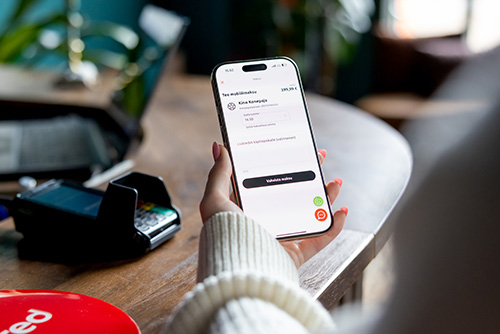
The beneficiary opens the Edenred app and selects Make a Payment from their chosen benefit page.
-
The beneficiary enters the amount to be paid into the app, specifies the service they are purchasing in the additional information field if desired, and confirms the payment.
-
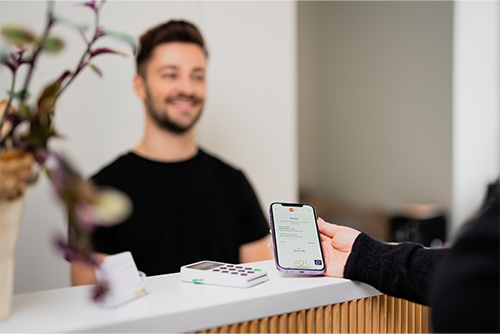
If the payment is made on-site, the beneficiary shows the receipt displayed on the screen to the cashier. Ensure that the receipt is active.
-
If the service is not paid on-site or if it is a remote service, inform the beneficiary in advance how you would like them to proceed.
If you are unsure how mobile payments should be entered into your cash register system, or if you have challenges with the cash register system, please contact the provider of the cash register program.
Repeat function for lunch benefit
The automatic repeat function for the lunch benefit ensures that your lunch balance is loaded into your account automatically every month according to your settings.
-
Using the repeat function requires that the lunch benefit is loaded into your account based on load requests, and your employer has allowed this feature.
-
Activate the repeat function in the Edenred app by clicking on Lounari and then Request Top-up. This function can be found at the bottom of the loading page.
-
Set your desired load settings and activate the repeat function. When you send a load request, the repeat function will also be activated, and balances will be loaded each month according to those settings.
-
You can also disable the recurring function. Read more detailed instructions here.
Note! If you make changes to the settings after your employer has already approved your request, the changes will take effect only the following month.
Don't have credentials for the Merchant portal yet?
If you are part of the Edenred network but have not registered for the Merchant portal, you can easily do so via the link below!
After registration, you will be able to receive Edenred Pay mobile payments and reimbursements, as well as keep your information up to date.

The price consists of the monthly fee and the loading fee. Monthly fee is 0,99 € / month / employee.
| Employee benefit |
Benefit balance loading fee |
| Lounari |
2,95 % |
| Virike |
5,20 % |
| Massage |
5,20 % |
| Transport |
5,20 % |
| Wellbeing |
5,20 % |
You can find a more detailed price list here.