





Pay for HSL tickets with Edenred Transport
/Edenred-tyomatka-nainen-junassa.jpg?width=1200&height=675&name=Edenred-tyomatka-nainen-junassa.jpg)
In cooperation with HSL, Helsingin seudun liikenne
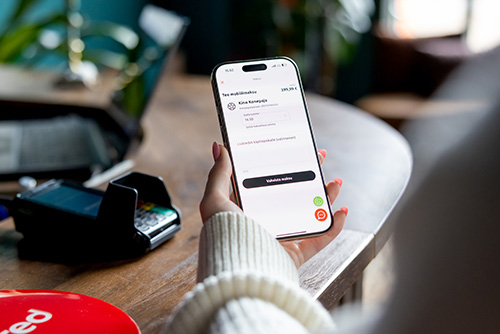
Bus to work, tram into the city centre, metro to your destination, or ferry to Suomenlinna? Add your virtual Edenred Transport card to the HSL app and pay for tickets directly with your commuting benefit balance – including an auto-renewing saver subscription. It’s easy way to make the most of the benefit your employer provides, whenever you need it.
From single tickets to continuous subscriptions – find the way that works for you
You can use your Edenred commuting benefit to pay for various HSL ticket types, including. You can also use it to pay for an auto-renewing saver subscription.
The commuting benefit is intended for travel between home and work, but it isn’t restricted to specific times or locations. So, alongside your office commute, you can use it for leisure trips too – whether you’re heading into the city for the weekend or taking a summer-day ferry to Suomenlinna.
Save on commuting with a saver subscription
If you travel regularly, HSL’s auto-renewing saver subscription is a smart way to save. Edenred is one of the few employee-benefit providers whose commuting benefit canbe used to pay for it.
Get a year of travel for the price of just 10 months, which means saving the cost of two months’ travel. Pay for your subscription with your Edenred commuting benefit and make the most of the benefit your employer provides – what a win-win situation!
The auto-renewing saver subscription is a fixed-term, 360-day subscription available for all HSL zones. Payments are charged to your payment card monthly. If you currently use a season ticket, switching to the savings subscription may be worth considering: you pay monthly, save money and can travel as much as you like within the terms of your ticket.
Compare ticket prices here.
How to pay for an HSL ticket with your Edenred commuting benefit
Adding your virtual Edenred Transport card to the HSL app is easy. Once added, it’s saved in the app and ready whenever you need it.
-
Open the Edenred app and go to the Transport page.
-
Select Settings, then Show card details. You’ll find your card number, expiry date and CVC code there. You can copy the card number directly from the card view.
-
Open the HSL app, tap More in the bottom-right corner, and go to Settings.
-
Find the Payments section and select Payment methods.
-
Tap Add card and enter your virtual Edenred Transport card details.
-
You can also add the card when buying a ticket. When selecting a payment method, tap Add commuter benefit, choose Edenred and enter your card details. Once the card has been added, choose your HSL ticket and pay with Edenred. Then you’re ready to go!
Tip: Rename your Transport card in the HSL app’s payment methods – for example, 'Edenred Transport' or 'Commuting benefit'. That way, it’s easy to spot if you’ve saved several payment cards in the app.
Please note that HSL app payments can’t be split between multiple payment methods. Before making a purchase, check that your commuting benefit balance covers the ticket. If you use MyChoice, you can transfer funds from another benefit to your commuting benefit.
Make the most of your commuting benefit and enjoy an easier everyday journey
The commuting benefit provided by your employer is a valuable part of your compensation – and using it on public transport can make getting around easier. Hop on board, listen to your favourite podcast or take a breather before your next commitment.
Choosing public transport over driving can also add more everyday movement to your routine. Next time you’re planning a journey, check HSL’s routes and make use of your Edenred commuting benefit. Bus, tram, metro or ferry – choose your route and hop on board! You can also find more information in HSL’s own pages.
Is your company not offering a commuting benefit yet? Now’s a great time to change that. Order benefits for your company easily online!